
Drop the stems in. Play the show.
Stemlock finds the tempo of any song, locks every stem to Live's beat and bar grid with one shared warp map, and turns your own locators into Session scenes with spoken cues, a click and scene endings. Your audio files are never changed.
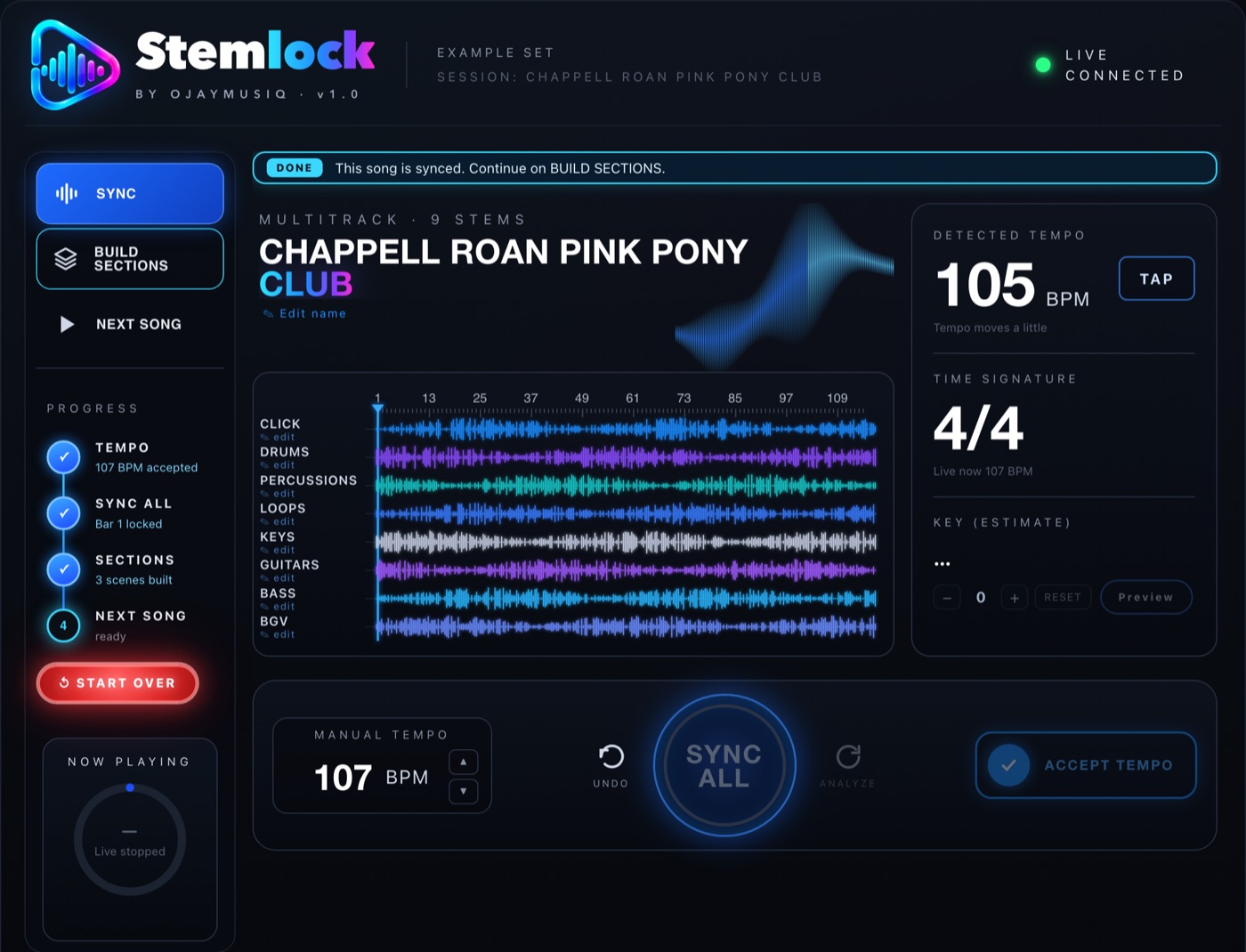
Three buttons from a folder of stems to a show.
Stemlock opens as a window inside Live. Drop a full song or all the stems of a song (Click track or not) into the Arrangement and follow the glowing button.
Accept Tempo
Stemlock works out the BPM, tells you if the tempo is steady or moves, and finds beat 1. Press Listen to check it. Live's tempo only changes when you say so.
Sync All
One shared warp map goes on every stem as Live's own warp markers, so every stem lands on the grid together. Undo puts the original clips back exactly. When Stemlock is sure, it does this by itself.
Build Sections
Place locators in Live (Intro, Verse, Chorus… End) and press the button. Session View gets the song's name, one scene per section and an END scene. No new tracks, no rendered files.
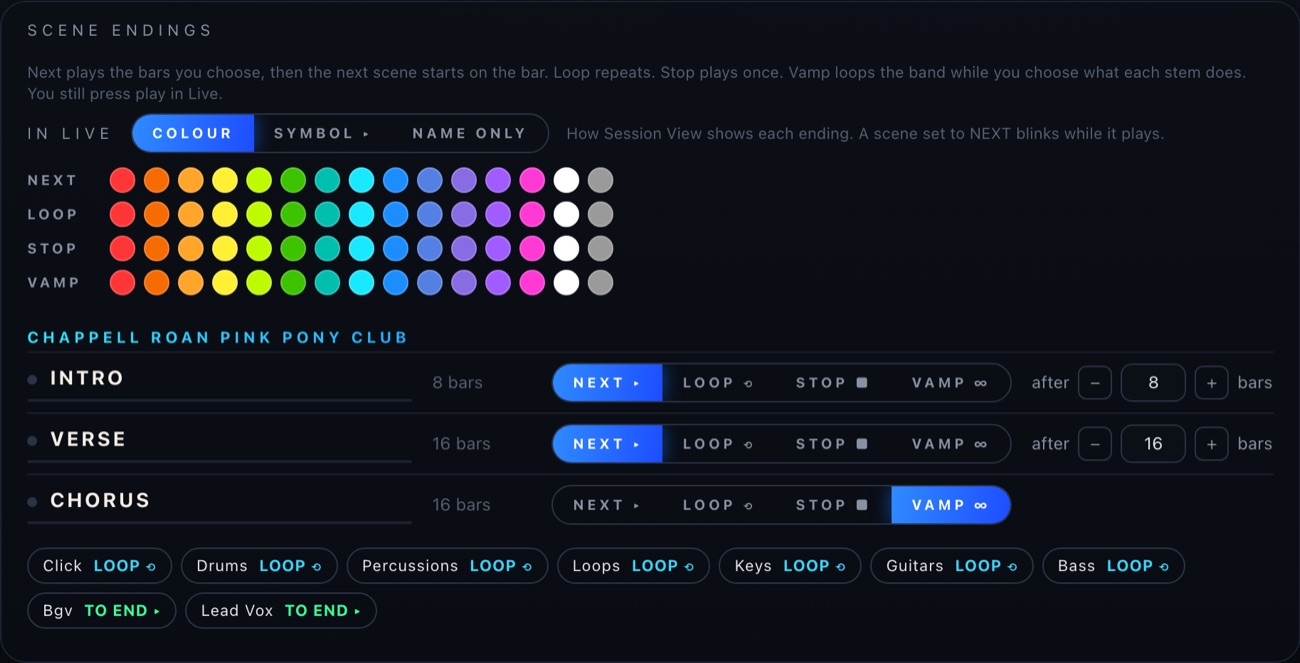
Every section ends the way you play it
Pick an ending for each scene. Stemlock saves them as Live's own Follow Actions, so the show keeps moving even with the window closed.
Cues and click in every scene
A spoken cue ("Verse", "Chorus", "Bridge") and a count land in the bar before every section, in Session and in the Arrangement. Use the LC Cue Pack, the Andrew voice, or your own cue rack. Click Builder adds a click track to every scene.
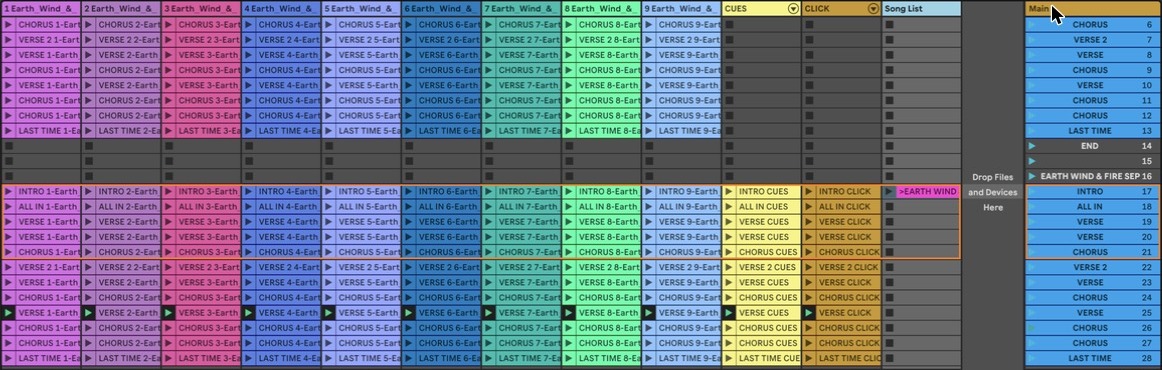
Built from real songs on real stages.
Every switch is about one real problem from rehearsal or the gig.
A whole show in one Set
Next Song stores the finished song as scenes and clears the Arrangement for the next one. Each song keeps its own tempo.
Your edits come along
Loops, percussion from other songs, chopped or consolidated tracks, MIDI parts and keyboard sound changes all go into the scenes in time.
LTC for the video team
Switch on Timecode at 24, 25 or 30 fps. Every song gets its own hour, in Session and in the Arrangement.
Change the key, hear it first
Preview the new key, then accept. Every music part of the song moves; drums and percussion stay put.
Sections, whole song or Arrangement
Play section by section, as one whole-song scene, or straight from the Arrangement with cues and click.
Works with Songhunt
If you use Songhunt, each song you build lands in your Songhunt song list by itself.
Your music stays yours.
Stemlock edits Live's own clips and scenes. It never touches the files on your drive.
One price. Every feature.
One version with everything in it. Every future update is free.
Stemlock Free updates
- 2 computers (main rig + backup)
- Stemlock device, engine and Live control script
- Cue packs and click rack
- Every future Stemlock update, free
Not sure yet? Every download starts with a 7-day free trial with every feature. If the trial ends during a show, the scenes you built keep playing.
System requirements
| Computer | Mac with Apple Silicon (M1 or newer), macOS 14 Sonoma or newer |
|---|---|
| Ableton Live | Live 12 (12.3 and 12.4 tested) or Live 11 (partly tested); Intro, Standard or Suite |
| In Live | Audio Units switched on (Settings › Plug-Ins); StemlockController chosen under Control Surface |
| Max for Live | Not needed |
| Windows / Intel Macs | Not supported |
Good to know
Will it change my audio files?
No. Stemlock writes Live's own warp markers onto the clips already in your Set. The files on your drive are never changed, and Undo Sync puts the original clips back.
Do my stems need a Click track?
No. A Click track makes it fastest and surest. Without one, Stemlock listens to the stems together and finds the beat and beat 1 from the music.
Do I have to place the sections myself?
Yes, with Live's own locators. You know your song's form best. Stemlock builds the scenes from them, as they are, every time.
Can't find StemlockController under Control Surface in Live?
Quit Live and double-click "Fix Stemlock Control Surface" in the download. It puts the script in every User Library your Live uses.
macOS says it can't open Stemlock
The first time, go to System Settings › Privacy & Security and click Open Anyway.
How do I activate?
Open the Stemlock window in Live and paste the license key from your Gumroad receipt email.